FeaturesSponsorship

Sponsorship

Give sponsors places fans actually look on game day: offers on the home screen, pages in the game program, the rewards program and the ticket page. Keep every sponsor in one list and put them to work across the app.

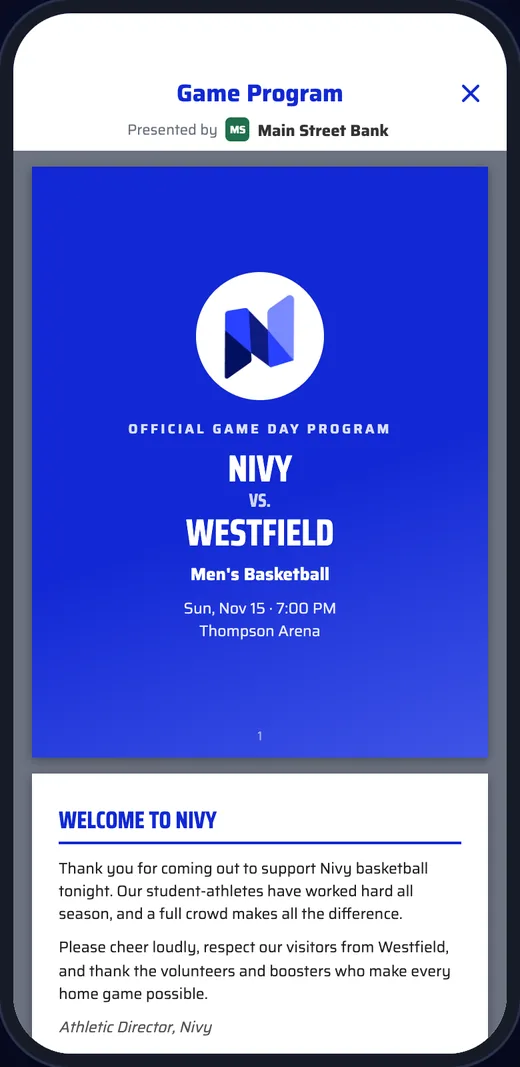
Digital game program cover presented by a local bank
How It Works
  1. 1

    Add your sponsors

    Keep every sponsor in one list on the dashboard, with their name, logo and details.

  2. 2

    Place them

    Pick a sponsor for a promo, a game program, the rewards program or a ticketed game. Their name and logo fill in.

  3. 3

    Fans see them on game day

    Sponsors show up where fans already are: the home screen, the program, their points and their tickets.

Promos

Offers fans unwrap.

A sponsor promo sits on the home screen as a gift fans tap to open. Inside is the sponsor’s offer and how to redeem it.

  • Headline, description, how to redeem, terms, and the sponsor’s logo and color
  • Set a start and an end; promos switch on and off by themselves
  • A live preview of the banner and the offer while you write it
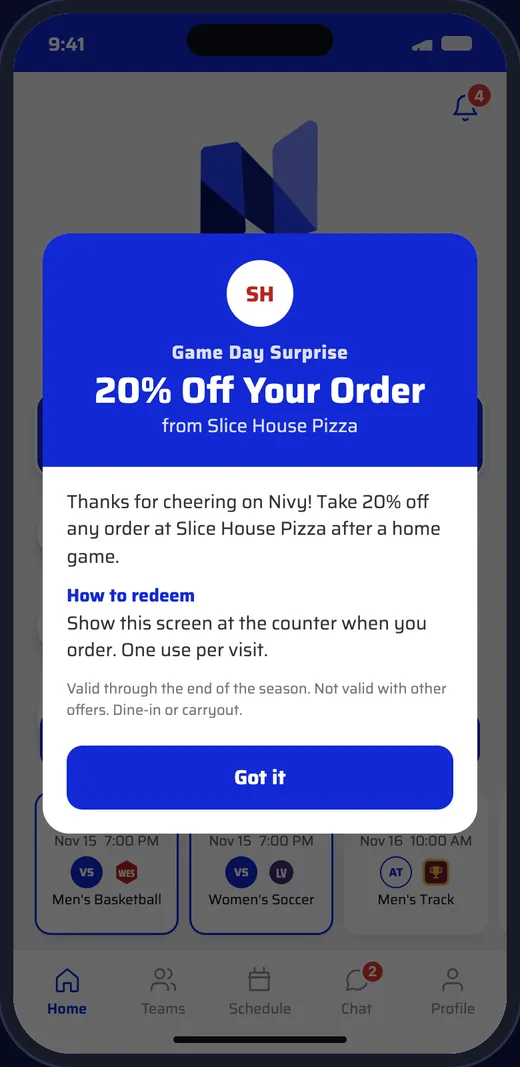
Sponsor promo open in the app: 20% off at a local pizza shop
Game programs

Programs with nothing to print.

Upload a program to any game on the schedule and fans open it from that game in the app. Sponsor pages travel with it.

  • Upload a PDF per game from the dashboard or Nivy Pro
  • A “Presented by” sponsor on every program
  • Update it right up to kickoff; no cover image needed, the opponent’s logo fills in
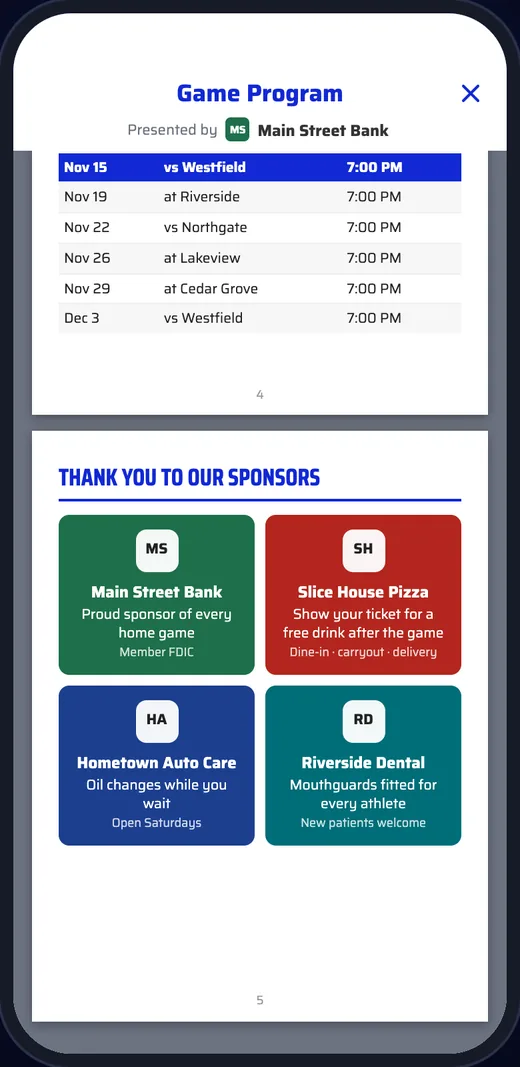
Sponsor thank-you page in a digital game program
Presented by

Their name on game day.

A “Presented by” spot puts a sponsor’s name and logo next to the things fans use most.

  • The home screen, under your logo
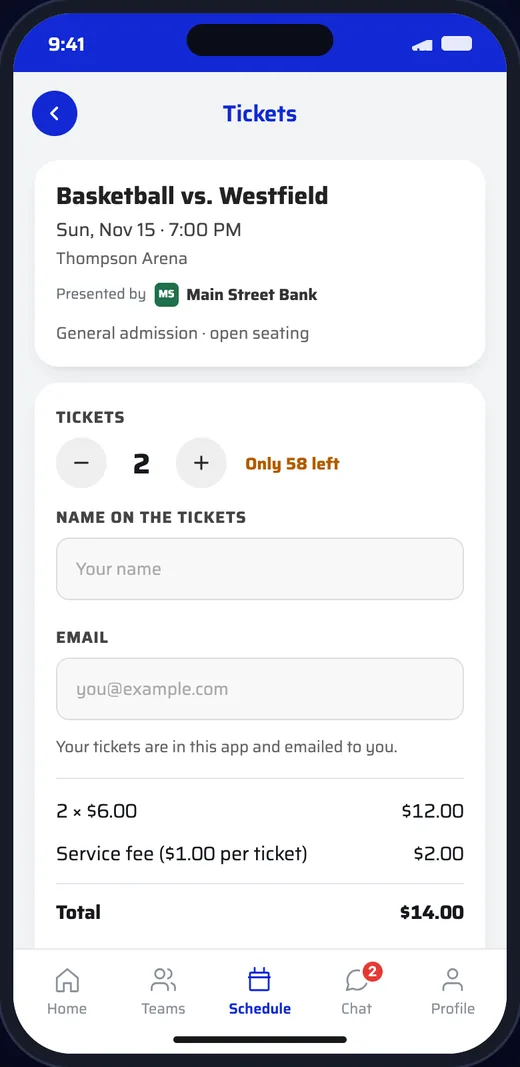
  • Ticket pages for the games they present
  • The rewards program banner
Ticket page for a basketball game presented by a local bank
Questions

Good to Know.

Can one sponsor show up in several places?

Yes. Add them once to your sponsor list, then pick them for a promo, a program, rewards or a ticketed game.

Does Nivy take a share of sponsorships?

No. Sponsorship deals are between you and your sponsors; Nivy doesn’t process them or take a cut.

Can promos run for a set time?

Yes. Give a promo a start and an end and it goes live and comes down by itself.

Can we change a program after it is posted?

Yes. Upload a new version any time before the game, from the dashboard or Nivy Pro.

Get in Touch

See It With
Your School’s Name

Schedule a DemoEmail Us