FeaturesScheduling

Scheduling

Every team’s games, practices and changes in one place. Change a game once and it shows up in the app, on families’ phone calendars and in the team chat.

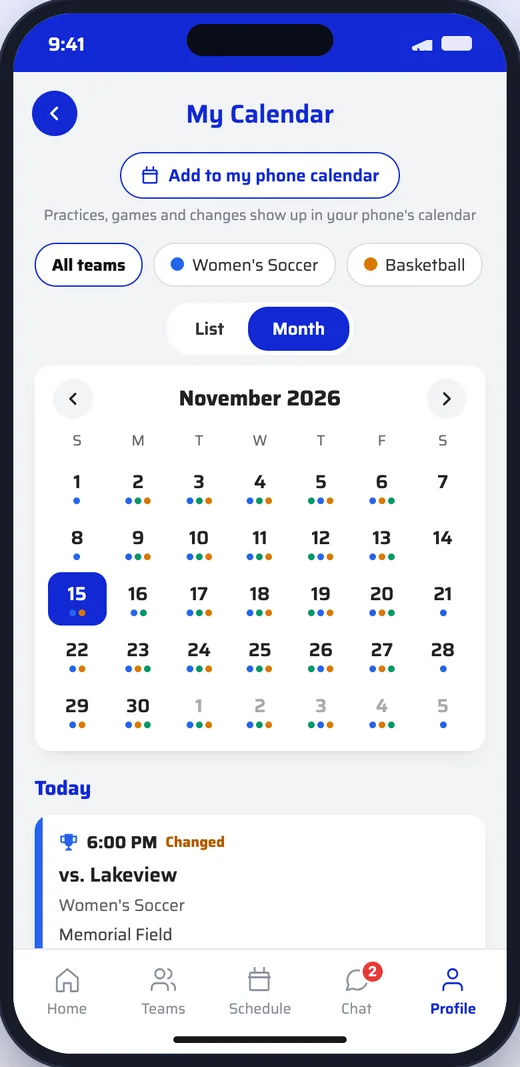
Month view of the team calendar with games and practices
How It Works
  1. 1

    Add your games

    Enter games, import a spreadsheet, or start from the schedule on your athletics website.

  2. 2

    Keep it current

    Postpone, cancel or mark a time TBA, add practices, and enter scores when the game ends.

  3. 3

    Everyone stays in sync

    The app updates at once, families’ calendars follow, and you can tell fans or the team with one tap.

Schedules

One schedule for every team.

Each team’s season by sport and level, entered by hand or imported. Coaches can keep their own teams’ schedules.

  • Import a season from a spreadsheet, with a template to start from
  • Opponents with their logos, and home games default to the team’s venue
  • Where we read your athletics website, edit any game and keep your version
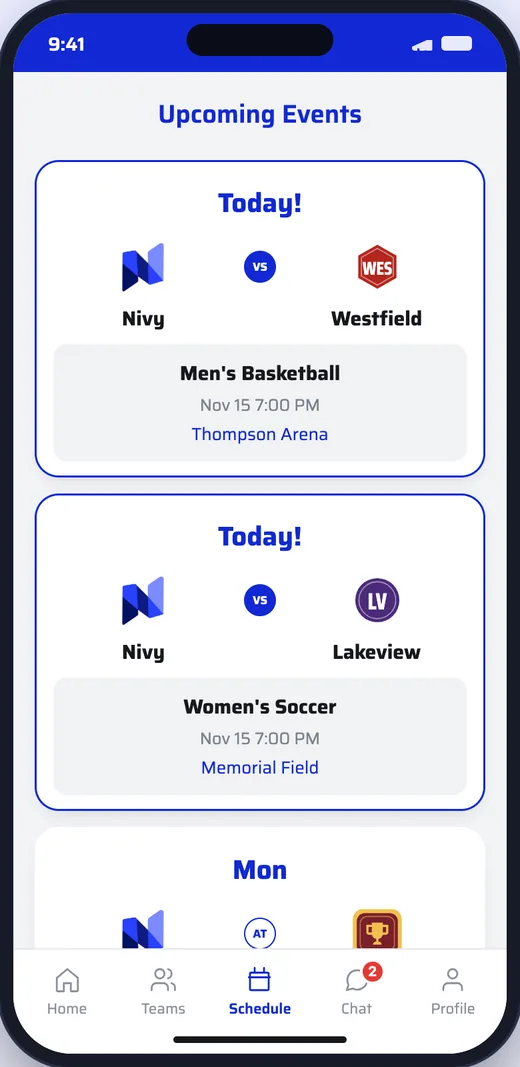
Upcoming events with today’s basketball and soccer games
Changes

Changes reach everyone.

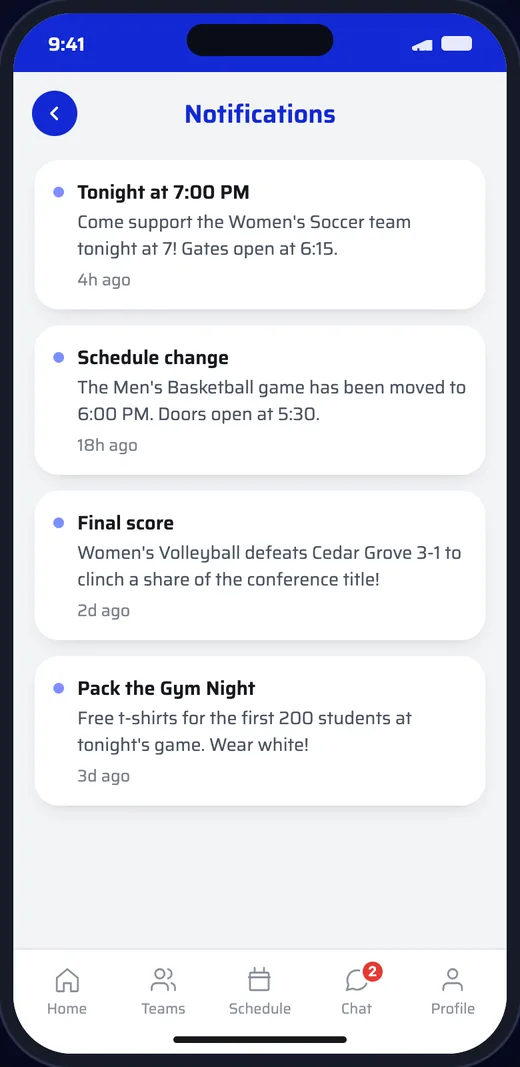
Postpone a game or move a time and the app shows it straight away, marked as changed.

  • Postponed, cancelled and TBA games, with the old time shown
  • After a change, tell the team’s fans with a push in one tap
  • Practice changes can go straight to the team chat
A schedule change notification: the game moved to 6:00 PM
Calendar

One calendar for the whole family.

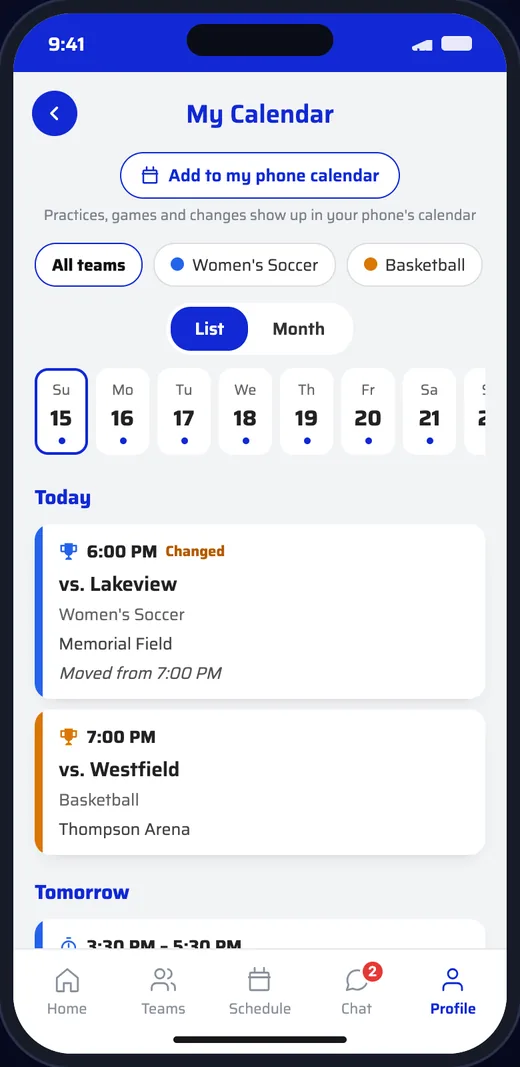
Practices, games and team events for every team a family follows, in the app and on their own phone calendar.

  • Practices and team events, one-off or repeating
  • Families add it to their phone calendar and it keeps itself up to date
  • Times in your school’s time zone
My Calendar showing a game moved from 7:00 to 6:00 PM, with a practice tomorrow
Scores

Finals, box scores and MaxPreps.

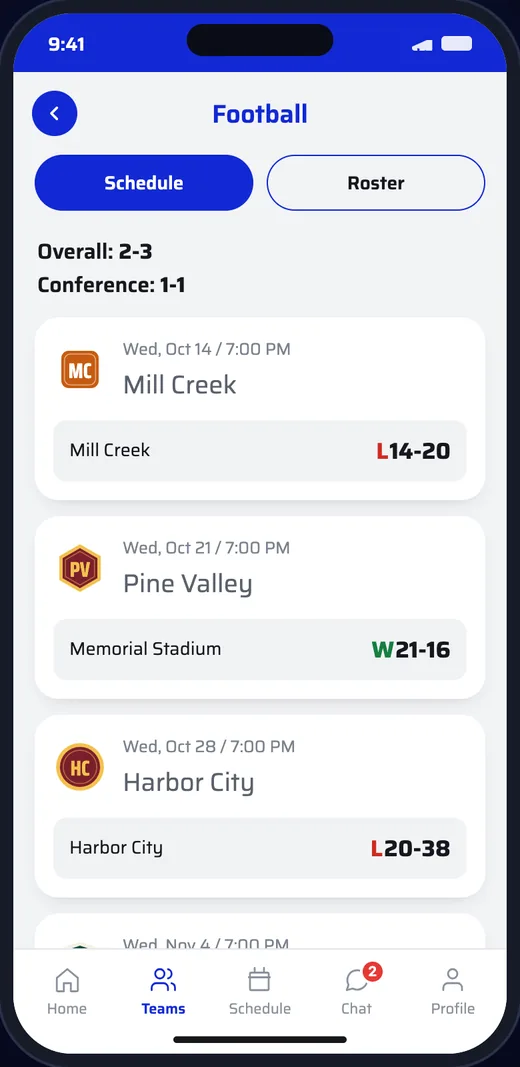
Enter the final and the line score after the game, and the box score for 11 sports. Fans see results on each team’s page.

  • Send fans the final with one tap
  • Records and results on each team page
  • Stats export straight to MaxPreps
Football team page with a 2-3 record and final scores
Questions

Good to Know.

Do we have to type in every game?

No. Import a season from a spreadsheet, or, where we read your athletics website, start from what is already there.

Can coaches update their own schedules?

Yes. Coaches can manage their own teams’ games, practices and scores; admins see every team.

How do families get changes?

In the app at once, on their phone calendar if they added it, and by push or team chat when you choose to tell them.

Does it work with MaxPreps?

Yes. Enter the box score once and export the stats file MaxPreps takes.

Get in Touch

See It With
Your School’s Name

Schedule a DemoEmail Us