FeaturesConcessions & Team Store

Concessions & Team Store

Fans order food, drinks and gear from their seat, pay in the app and pick up with a number. Your stands see each order come in, and the money goes to your own Stripe account.

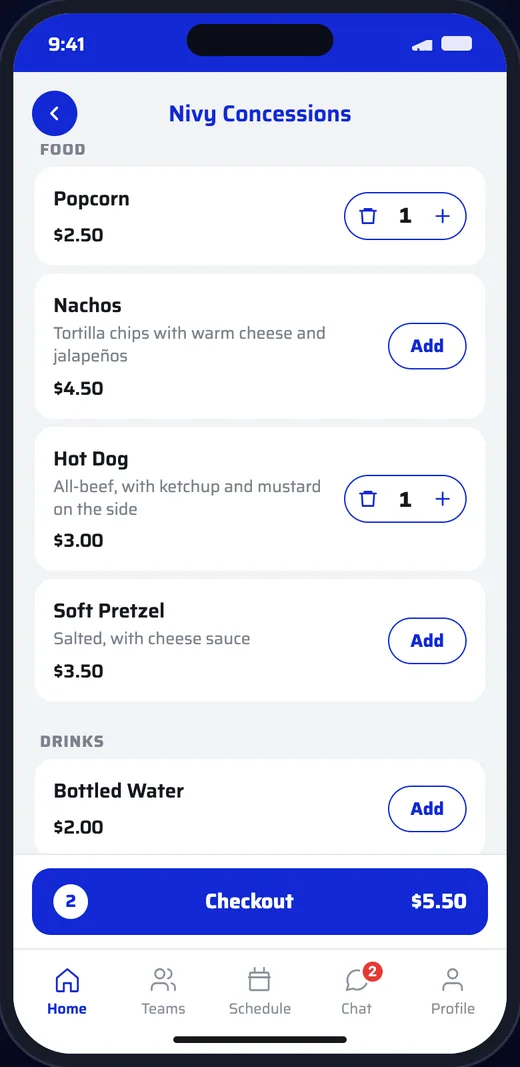
Concessions menu with popcorn and a hot dog in the cart
How It Works
  1. 1

    Set up your stands

    Add a stand, its menu and its pickup instructions on the dashboard, and connect its Stripe account.

  2. 2

    Fans order and pay

    Fans pick a stand, choose what they want and pay in the app. Each order gets a pickup number.

  3. 3

    Your stand hands it over

    The stand moves the order to preparing and ready. The fan watches it change and picks it up with their number.

Stands

Every stand, one Order button.

Fans tap Order on the home screen and pick a stand: the concession stand, the team store, a booster club table.

  • Each stand has its own menu, pickup instructions and pickup number prefix
  • Open or close a stand with one switch
  • Each stand is paid into its own Stripe account, so a booster club keeps its own sales
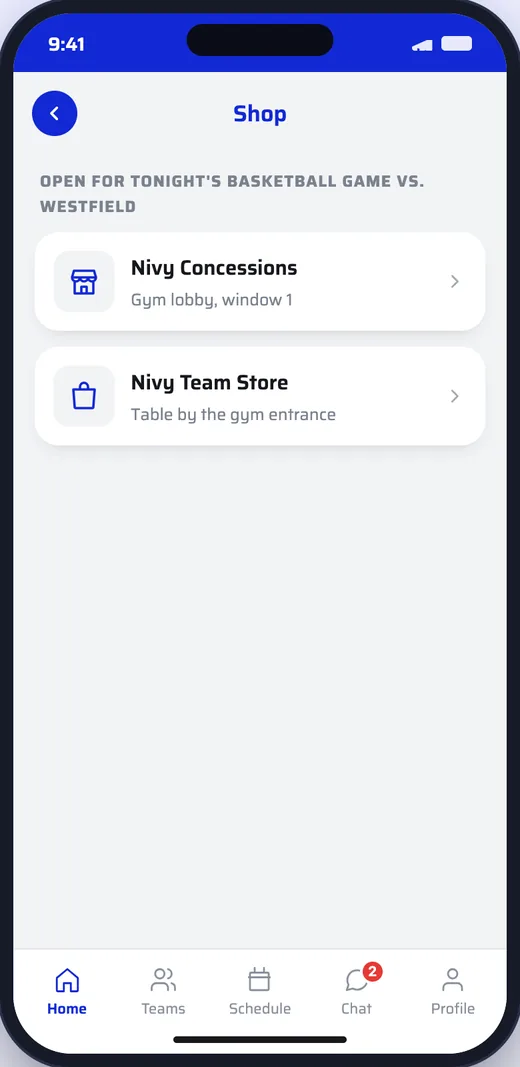
List of stands: the concession stand and the team store
Ordering

Order and pay in seconds.

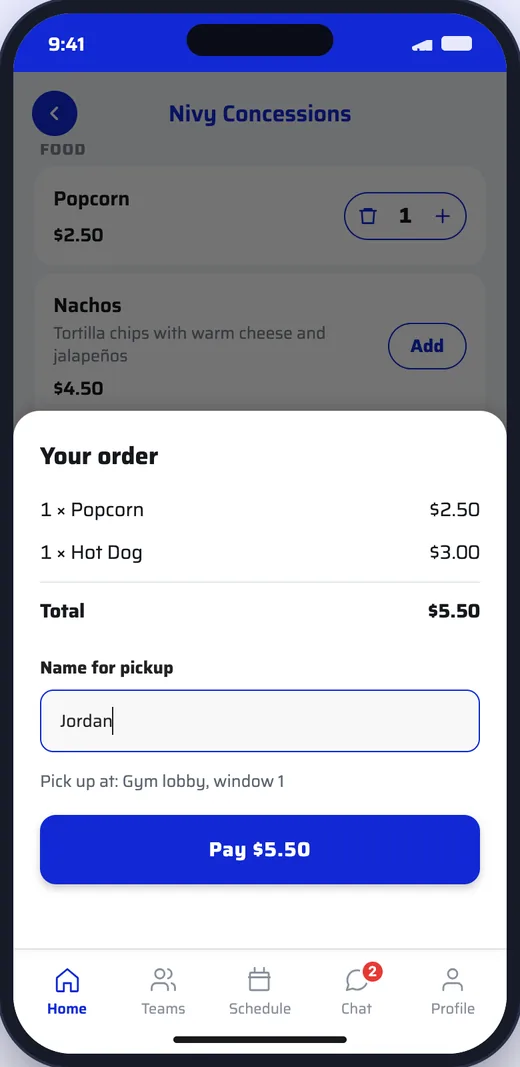
Fans add what they want, enter a name for pickup and pay in the app. Build the menu on the dashboard or in Nivy Pro.

  • Items with choices, like a size or toppings, with an extra price
  • Mark an item sold out and it disappears from fans’ carts at once
  • Food and gear on the same system
Checkout with popcorn and a hot dog, a name for pickup and a Pay $5.50 button
Pickup

Pickup numbers, not lines.

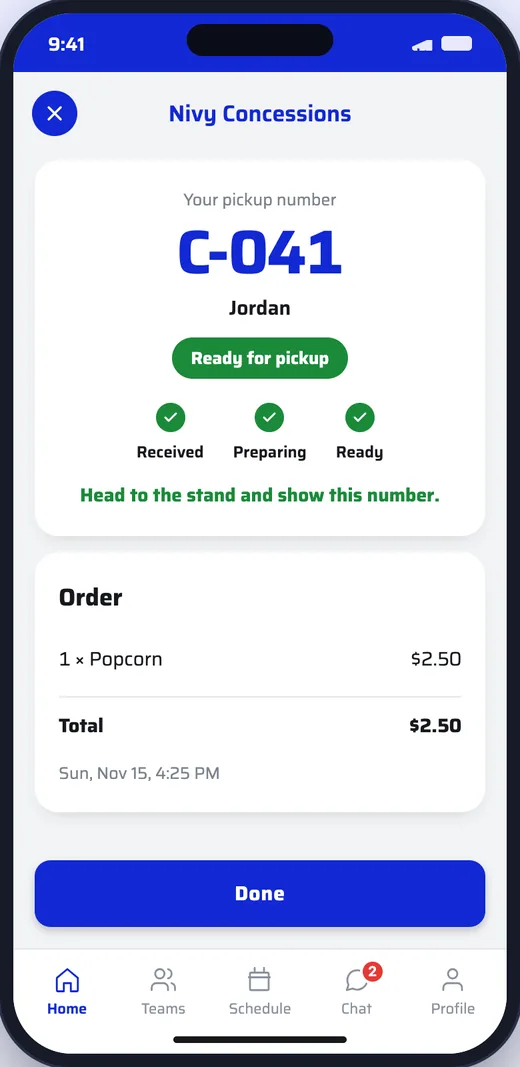
Every order gets a number like C-041. Fans see it go from received to preparing to ready, and show the number at the window.

  • The stand’s order board shows New, Preparing and Ready side by side
  • Stand helpers can work the board, mark items sold out and open or close the stand
  • Refunds stay with the stand’s owner and your admins
Order screen with pickup number C-041 marked ready for pickup
Questions

Good to Know.

Where does the money go?

Into the stand’s own Stripe account: the school’s, or a booster club’s if they run their own stand. Payouts and sales are managed inside the Nivy dashboard.

Do our volunteers need dashboard access?

Invite them as stand helpers. They see only their stand’s orders and menu, on the dashboard or the Nivy Pro app, and can be allowed to edit the menu too.

What if we run out of something?

Mark it sold out. It comes off the menu in the app straight away, and out of any cart it was in.

Can we stop taking orders?

Yes. Close the stand with one switch when it gets too busy or at the end of the night, and open it again later.

Get in Touch

See It With
Your School’s Name

Schedule a DemoEmail Us